In 2026, your social media bio link is your digital storefront. For Canadian real estate agents, having a professional Link in Bio website isn't just nice to have—it's essential for converting social media followers into actual clients. This comprehensive guide will show you exactly how to create a powerful Link in Bio website using RealtyChat, and why it's the superior choice for realtors compared to generic platforms like Linktree.
Why Canadian Realtors Need a Link in Bio Website
The modern real estate buyer's journey starts on social media. Whether they discover you through an Instagram Reel showcasing a stunning Toronto condo, a TikTok video about Vancouver's housing market, or a YouTube property tour, they all end up in the same place: your profile. And in your profile, you have exactly ONE clickable link to capture their interest.
This single link needs to do a lot of heavy lifting. It must showcase all your active property listings, provide multiple ways for potential clients to contact you, link to your booking calendar, connect to all your social media profiles, capture leads even when you're sleeping, establish your credibility and professionalism, and work seamlessly on mobile devices where 90% of social media browsing happens.
A well-designed Link in Bio website transforms casual social media viewers into qualified leads. Without one, you're essentially sending interested buyers to a dead end.
Why RealtyChat Beats Linktree for Real Estate Agents
While Linktree is a popular Link in Bio tool, it was designed for general creators—not specifically for real estate professionals. RealtyChat, on the other hand, was built from the ground up for Canadian realtors. Here's what makes RealtyChat the superior choice:
- 24/7 AI Lead Capture Assistant
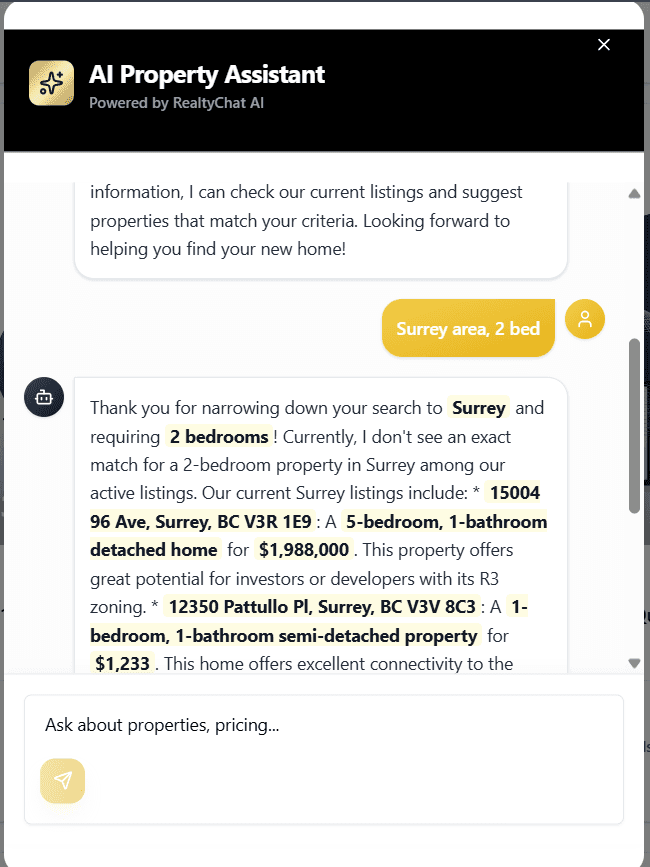
This is the game-changer. Every RealtyChat Link in Bio comes with a live AI chatbot that talks to your website visitors around the clock. When a potential buyer visits your link at 11 PM on a Saturday night, they can ask questions about your listings, get information about neighborhoods, inquire about your services and experience, request property showings, and learn about the buying or selling process.
The AI assistant captures their email address and conversation history, which you can review in your Captured Leads dashboard. This means you never miss a lead, even when you're busy with showings or enjoying time off. Linktree simply cannot do this—it's just a collection of static links.
- Integrated Property Listings
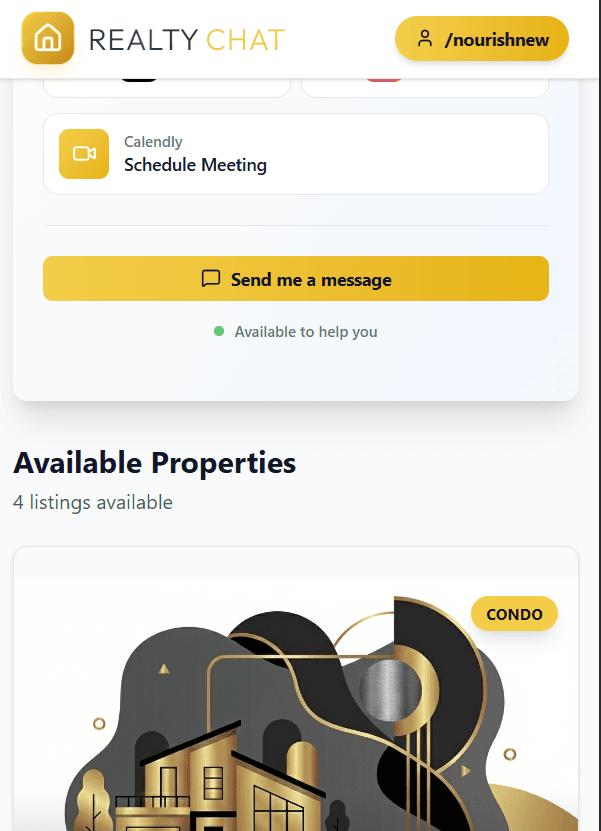
RealtyChat automatically displays all your active property listings directly on your Link in Bio page. Each listing includes professional property photos, price, bedrooms, bathrooms, square footage, full address and neighborhood information, AI-generated property insights and descriptions, interactive Google Maps integration, commute analysis tools for buyers, nearby amenities like schools, restaurants, and transit, and document uploads for floor plans and brochures.
With Linktree, you'd have to manually create and update individual links for each property. With RealtyChat, your listings are automatically synced and beautifully displayed in a grid format that's optimized for mobile viewing.
- Professional Branding & Customization
Your Link in Bio page is an extension of your personal brand. RealtyChat allows you to upload your professional headshot, display your name and title, add your brokerage information, customize your unique URL slug at realtychat.ca/agent/yourname, showcase your social media links with branded icons, and feature unlimited custom links for any purpose.
The design is clean, modern, and specifically optimized for real estate professionals—not generic influencers or content creators.
- Built for Canadian Real Estate
RealtyChat understands the Canadian real estate market with pricing displayed in Canadian dollars, Google Maps integration that works perfectly for Canadian addresses, neighborhood insights tailored to Canadian cities, compliance with Canadian privacy and data protection standards, and support for bilingual content in English and French.
Step-by-Step: Creating Your RealtyChat Link in Bio
Ready to build your professional Link in Bio website? Here's exactly how to do it:
Step 1: Sign Up with Google
Getting started with RealtyChat is incredibly simple. Visit RealtyChat.ca and click 'Get Started for Free'. Click 'Sign up with Google' for instant authentication, grant the necessary permissions, and you'll be automatically logged in—no password to remember!
Using Google Sign-In means you can access your account from any device without worrying about forgotten passwords. It's secure, fast, and convenient.
Step 2: Get Your Link in Bio - Enter Your Custom Website Slug
After signing up, you'll be prompted to create your unique Link in Bio URL. This is the master link you'll share everywhere—in your Instagram bio, TikTok profile, YouTube description, email signature, and business cards.
- 1Navigate to your dashboard and look for 'Get Your Link in Bio' or similar option
- 2Enter your desired custom slug (e.g., 'sarahtoronto', 'mikevancouver', 'alexmontreal')
- 3Keep it short, memorable, and professional
- 4Avoid numbers or special characters if possible
- 5Click 'Create My Link' or 'Save'
- 6Your link is now live at realtychat.ca/agent/yourslug
Pro Tip
That's it! Your Link in Bio website is now live and accessible to anyone who visits that URL. But we're just getting started—now let's customize it.
Step 3: Manage Links - Add Your Social Media & Contact Links
Your Link in Bio should make it easy for potential clients to connect with you on their preferred platform. Here's how to add your links:
- 1From your dashboard, click 'Manage Links' in the sidebar
- 2You'll see pre-configured boxes for Instagram, TikTok, Email, and Calendly
- 3Simply paste your URLs into each field: Instagram (your full Instagram profile URL), TikTok (your TikTok profile URL), Email (your professional email address), Calendly (your booking calendar link if you use Calendly for consultations)
- 4Click 'Save Changes'
These links will appear as prominent buttons on your Link in Bio page, making it easy for visitors to follow you on social media or book a consultation.
Adding Custom Links with the Add Link Button
Beyond the standard social media links, you can add unlimited custom links for any purpose. The Instagram, TikTok, Email, and Calendly link boxes are already there for convenience, but any additional links can be created using the Add Link button:
- 1In the 'Manage Links' section, click the 'Add Link' button
- 2Enter a title (e.g., 'Free Home Valuation', 'Buyer's Guide PDF', 'YouTube Channel', 'Facebook Page')
- 3Paste the destination URL
- 4Click 'Save'
- 5Repeat for as many custom links as you need
Popular custom links for realtors include YouTube channel for property tours, Facebook business page, LinkedIn profile, personal website or blog, downloadable buyer/seller guides, mortgage calculator tools, testimonials page, and brokerage website.
Step 4: Configure Your 24/7 AI Lead Capture Assistant
This is where RealtyChat truly shines. Your AI assistant will talk to website visitors, answer their questions, and capture their contact information—all automatically. Every Link in Bio comes with a Capture Lead Assistant that acts as your 24/7 AI representative.
To configure your AI assistant that talks with customers:
- 1Click 'Live AI Chat Config' in the sidebar
- 2You'll see two main sections: Instructions and Knowledge Documents
Writing Your AI Instructions (System Prompt)
In the Instructions field, add your system prompt. This is where you tell your AI assistant how to behave and what information to share. Think of this as training your virtual assistant. Here's a template you can customize:
"You are a helpful AI assistant for [Your Name], a real estate agent specializing in [Your City/Neighborhood]. Your role is to answer questions about available properties, provide neighborhood information, and help potential buyers or sellers connect with [Your Name]. Be friendly, professional, and knowledgeable. Always ask for the visitor's email address so [Your Name] can follow up personally. Highlight that [Your Name] has [X years] of experience in [specific areas of expertise, e.g., first-time homebuyers, luxury condos, investment properties]."
Customize this prompt with your name and brokerage, your areas of specialization (condos, luxury homes, first-time buyers, etc.), your geographic focus (specific neighborhoods or cities), your unique selling points (years of experience, awards, local expertise), and any specific services you offer (staging, professional photography, virtual tours).
Uploading Knowledge Documents
To make your AI assistant even more powerful, add any knowledge documents. Upload documents that contain detailed information:
- 1Click 'Edit Config' to enable document uploads
- 2Click the upload area or drag and drop files
- 3Supported formats: PDF, TXT, DOC, DOCX
- 4Upload documents such as neighborhood guides you've written, market reports and statistics, buyer/seller guides, your bio and credentials, information about your brokerage, and FAQs about the buying/selling process
- 5Click 'Save Changes'
The AI will read these documents and use the information to answer visitor questions more accurately and comprehensively. For example, if you upload a neighborhood guide about Yaletown in Vancouver, the AI can answer detailed questions about schools, restaurants, transit, and local amenities. And boom, their live 24/7 AI assistant is live!
Pro Tip
Step 5: View Captured Leads
Once your AI assistant is live, it will start capturing leads automatically. Anyone who talks with your AI will be available in Captured Leads. Here's how to access and manage them:
- 1Click 'Captured Leads' in the sidebar
- 2You'll see the email of all users who interacted with your AI
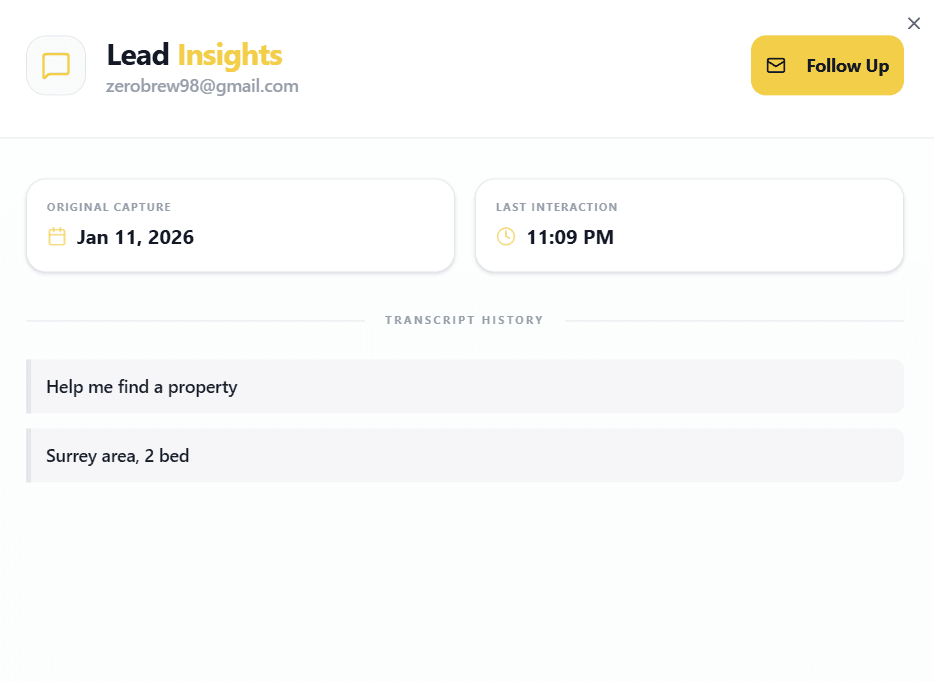
- 3Each lead shows: Email address, Date and time of interaction, Full conversation transcript, Questions they asked, Properties they were interested in
- 4Click on any lead to view the complete conversation
- 5Use the 'Follow Up' button to send them an email directly
- 6Export all leads to CSV for your CRM
This is incredibly valuable information. You can see exactly what potential clients are asking about, which properties interest them most, and what concerns they have. This allows you to personalize your follow-up and dramatically increase your conversion rate.
Explore the Sidebar: Understanding the App
RealtyChat's sidebar navigation gives you access to all the powerful features of the platform. Let's explore each section:
Home Dashboard
Your central command center where you can see all your active listings, create new listings, view recent activity, and access quick actions. This is where you'll spend most of your time managing your real estate portfolio.
Manage Links
As covered in Step 3, this is where you add and edit all your social media links, contact information, and custom links that appear on your Link in Bio page.
Live AI Chat Config
Configure your AI assistant's behavior, upload knowledge documents, and customize how your AI interacts with potential clients. This is covered in detail in Step 4.
Captured Leads
View all the leads your AI assistant has captured, including full conversation transcripts, email addresses, and interaction timestamps. This is your lead pipeline.
Profile
Update your personal information, upload your professional headshot, add your brokerage details, and customize your bio that appears on your Link in Bio page.
Settings
Manage your subscription plan, update payment information, view your account status, and access billing history.
AI Tools
Access free AI-powered tools including Property Description Generator (create compelling listing descriptions in seconds), Neighborhood Insights Generator (generate detailed neighborhood guides), and Social Media Caption Writer (create Instagram and TikTok captions for your listings).
Best Practices for Your Link in Bio
Now that your Link in Bio is set up, here are some tips to maximize its effectiveness:
- Update Your Social Media Bios Immediately
Add your RealtyChat link to your Instagram bio, TikTok bio, YouTube channel description, Facebook page, LinkedIn profile, Twitter/X bio, email signature, and business cards.
- Mention Your Link in Content
When you post property tours or market updates, include a call-to-action like 'Link in bio for full details', 'Visit the link in my bio to chat with my AI assistant', 'See all my listings at the link in bio', or 'Book a consultation through the link in my bio'.
- Keep Your Listings Fresh
Update your listings regularly by removing sold properties promptly, adding new listings as soon as they're available, updating photos if you get better shots, and adjusting prices if needed. A stale Link in Bio with outdated listings damages your credibility.
- Check Your Captured Leads Daily
Make it a habit to review your Captured Leads dashboard every morning. Respond to inquiries within 24 hours (ideally within a few hours). The faster you follow up, the higher your conversion rate.
- Refine Your AI Instructions
As you review conversations in your Captured Leads, you may notice questions your AI assistant struggles with. Update your Instructions and Knowledge Documents to address these gaps. Your AI assistant gets smarter over time as you feed it more information.
Conclusion: Your Digital Storefront Awaits
In 2026, your Link in Bio is one of the most important marketing tools in your real estate arsenal. It's the bridge between your social media content and actual client relationships. While generic platforms like Linktree can provide basic link organization, RealtyChat offers a complete solution designed specifically for Canadian real estate professionals.
With RealtyChat, you get a professional Link in Bio website that showcases your brand, automatic property listing integration, 24/7 AI lead capture that never sleeps, detailed conversation tracking and analytics, mobile-optimized design that converts visitors into clients, and tools built specifically for real estate professionals.
Setting up your RealtyChat Link in Bio takes less than 10 minutes, but the impact on your business can be transformational. Every social media follower, every Instagram Reel viewer, every TikTok fan becomes a potential lead that's automatically captured and nurtured by your AI assistant.
Ready to Get Started?
The Hidden Cost of "Old School" Websites
Maintaining a custom real estate website is notoriously expensive and time-consuming. You are often paying developers thousands of dollars upfront, plus monthly retainer fees, just to keep the lights on.
The Trap
This is where RealtyChat changes the game. It solves these headaches by letting agents manage their own listings instantly without writing a single line of code.
"RealtyChat gives you a personalized, AI-powered link to share with buyers—eliminating the need for expensive hosting while delivering features that actually convert."
1. The "Master Link" (Link-in-Bio)
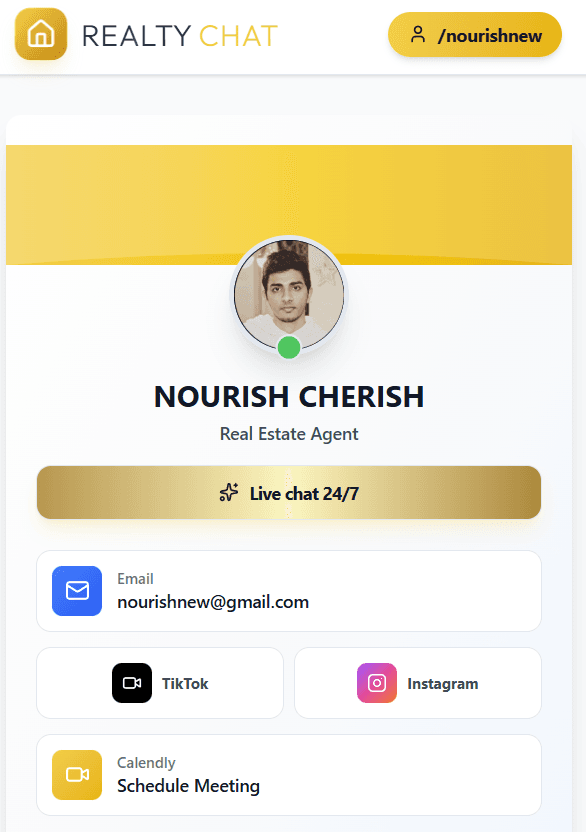
Replace your fragmented social presence with one elegant Master Link. It hosts all your listings, your "Contact Agent" button, Calendly booking link, and direct icons for TikTok, Instagram, and Facebook. It's the only link you'll ever need in your bio.
2. AI Listing Assistant (The Location Expert)
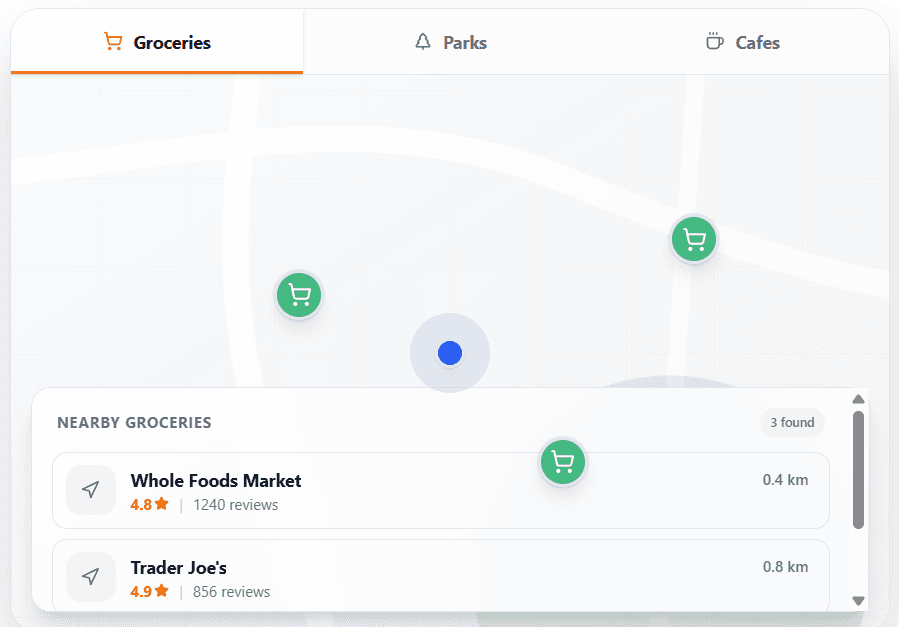
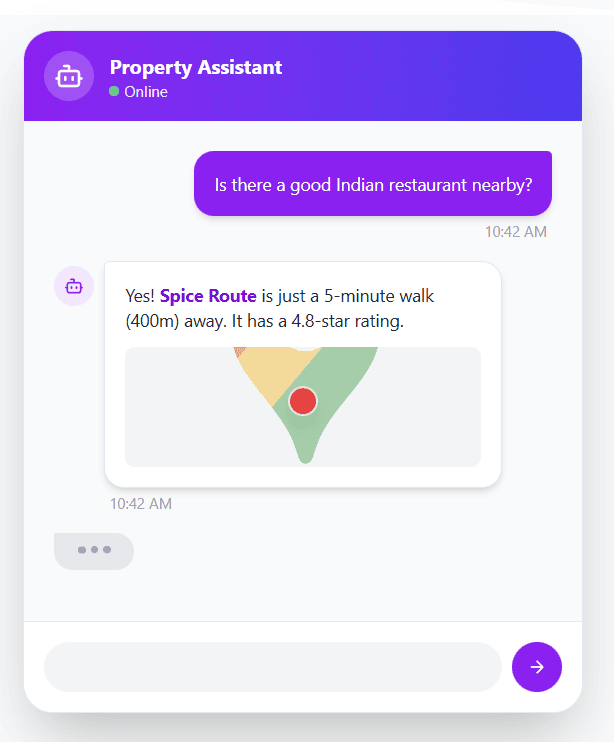
Every individual listing comes with a dedicated Location Expert AI. Powered by Google Maps and Gemini, it uses the property address to answer hyper-local questions with surgical precision. Buyers can ask "Where are the nearest Asian restaurants?", "How far is the gym?", or about local schools, getting accurate, real-world data instantly.
3. Lead AI Chatbot (Your Digital Twin)
Located on your Master Link-in-Bio, this chatbot acts as your digital twin. You can configure it with your own knowledge base (PDFs, text files) to represent your brand 24/7. It greets visitors, collects lead requirements automatically, and proactively recommends listings from your entire portfolio that match their needs.
4. AI Leads Dashboard
Stop guessing who is visiting your links. Your AI Leads Page gives you a real-time view of every lead captured by your Link-in-Bio chatbot. View their email, property requirements, and the full conversation history so you can step in when they're ready to talk.
5. Neighborhood & Lifestyle Intelligence
Our platform leverages Google's Gemini AI combined with Google Maps data to create rich, location-aware listing descriptions, automatic commute analysis, and interactive lifestyle maps for every listing.
Instant Neighborhood Analysis:
- ✓Commute Analysis: Instant drive vs. transit times to major work hubs.
- ✓Lifestyle Maps: Auto-populated maps with nearby grocery stores, parks, and schools.
- ✓AI Descriptions: Compelling narratives with precise walking distances to local cafes and gyms.
Start Now
Ready to Upgrade Your Real Estate Business?
Join thousands of agents who are saving time and closing more deals with RealtyChat's AI-powered tools and beautiful link-in-bio listings.
Subscribe to our newsletter
Get the latest real estate market analysis and trends delivered straight to your inbox.